QR Code Phishing Is Surging: How Quishing Bypasses Your Email Security
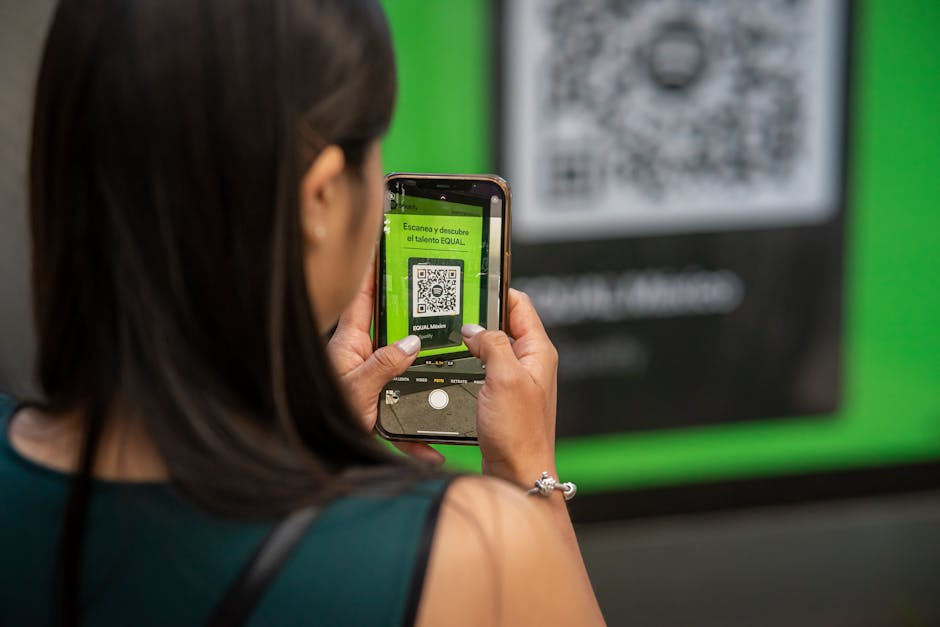
The Attack Your Email Filter Can't See
Your organization probably spent significant budget on email security — secure email gateways, URL rewriting, sandbox detonation, AI-powered threat detection. These tools are effective against traditional phishing attacks that rely on malicious links or attachments.
But there's a category of phishing that sails right past all of them: QR code phishing, also known as quishing.
The numbers are staggering. According to multiple threat intelligence reports, QR code phishing attacks increased by 587% between 2024 and 2025. And the trend is accelerating — quishing now accounts for approximately 12% of all phishing emails observed in the wild.
The reason is elegantly simple: a QR code in an email is just an image. Email security tools can analyze URLs, scan attachments, and flag suspicious domains. But a QR code? It's pixels. And those pixels encode a URL that only becomes visible when an employee scans it with their phone — a device that typically sits outside your corporate security stack.
How Quishing Attacks Work
A typical quishing attack follows this pattern:
- The employee receives a legitimate-looking email containing a QR code. Common pretexts include: MFA setup, document signing, voicemail notification, benefits enrollment, or IT policy acknowledgment.
- The email instructs the user to scan the QR code with their phone. The pretext explains why: "For security purposes, please verify using your mobile device" or "Scan to access your encrypted document."
- The QR code directs to a credential harvesting page optimized for mobile browsers. These pages closely mimic Microsoft 365, Google Workspace, or internal SSO login portals.
- The employee enters their credentials on their phone, where they're less likely to notice URL irregularities (mobile browsers show truncated URLs) and where corporate endpoint protection often doesn't apply.
- The attacker captures credentials and often simultaneously initiates a session on the real platform, potentially bypassing MFA through real-time relay techniques.
Why Traditional Defenses Fail
Quishing exploits a fundamental gap in how most organizations approach email security:
Email Filters Can't Read QR Codes
Most secure email gateways analyze text content, embedded URLs, and attachment payloads. A QR code is rendered as an inline image or embedded graphic. Unless the security tool specifically includes QR code decoding (and most don't, or only added it recently), the malicious URL inside the QR code passes through unexamined.
The Attack Moves to an Unmanaged Device
By directing the user to scan with their personal phone, the attacker moves the interaction off the corporate network and endpoint. Personal devices typically lack:
- Corporate web filtering
- Endpoint detection and response (EDR)
- DNS-layer security
- Managed browser policies that flag suspicious domains
Mobile Browsers Hide Red Flags
On a desktop browser, a user might notice that login.microsft-365-auth.com isn't the real Microsoft login page. On a mobile browser, the URL bar shows perhaps 30 characters before truncating. Many users don't even look at the URL on mobile — they trust the visual design of the page.
Real-World Quishing Campaigns in 2025-2026
These aren't theoretical risks. Here are documented campaigns from the past 18 months:
- Microsoft 365 MFA Reset: Employees received emails claiming their MFA enrollment was expiring. The QR code led to a convincing Microsoft login clone that captured both passwords and TOTP codes in real time.
- DocuSign Impersonation: A QR code embedded in a fake DocuSign notification led to a credential harvesting page. The campaign specifically targeted finance departments with "invoice approval" pretexts.
- IT Department QR Codes: Physical QR codes were placed on printers and in common areas, claiming to link to the Wi-Fi setup page. They actually led to credential harvesting sites. This variant combines physical and digital social engineering.
- Parking and Benefits Scams: Employees received emails about parking pass renewals or benefits enrollment changes with QR codes leading to fake corporate portals.
How to Defend Against Quishing
1. Update Your Email Security
Verify that your email security gateway can decode and analyze QR codes embedded in emails. Major vendors have added this capability in recent updates, but it may not be enabled by default. Key features to look for:
- QR code extraction from inline images and attachments
- URL analysis of decoded QR destinations
- Real-time reputation checking of QR-encoded domains
2. Include Quishing in Security Awareness Training
Most employees have never heard the word "quishing" and have no framework for evaluating QR code safety. Your training should cover:
- The concept: QR codes can contain malicious URLs just like email links
- The red flags: Unexpected QR codes in emails, pressure to "verify" via mobile, requests that bypass normal workflows
- The safe response: If an email asks you to scan a QR code, navigate to the service directly instead (type the URL manually or use a bookmark)
- Mobile URL inspection: Teach employees to check the full URL before entering credentials on mobile — tap the address bar to see the complete domain
3. Run QR Code Phishing Simulations
Add quishing templates to your phishing simulation program. This serves two purposes: it measures how vulnerable your organization actually is, and it creates a concrete learning experience that generic training alone cannot provide.
Effective quishing simulations should:
- Use realistic pretexts relevant to your organization (IT announcements, HR processes)
- Track both scan rates and credential submission rates
- Deliver immediate just-in-time training when an employee scans the code
4. Implement Mobile Security Controls
For organizations with managed mobile devices (MDM/MAM), consider:
- Deploying a mobile threat defense (MTD) solution that can inspect URLs opened from QR scans
- Enforcing managed browsers on corporate-enrolled devices
- Implementing DNS-layer security that applies even outside the corporate network
5. Establish a QR Code Policy
Create a simple, enforceable policy: legitimate internal communications will never ask employees to scan a QR code to log in or verify their identity. If your IT department doesn't use QR codes for authentication, say so explicitly — it gives employees a clear rule to apply.
Key Takeaways
QR code phishing isn't a niche threat anymore — it's mainstream, growing rapidly, and specifically designed to bypass the security controls most organizations rely on. To protect your organization:
- Verify your email security can decode QR codes — don't assume it does
- Train employees on quishing specifically — it's a distinct attack vector that requires distinct awareness
- Simulate QR code phishing attacks to measure and reduce your actual risk
- Extend security controls to mobile devices where quishing payloads execute
- Set a clear policy that internal communications won't use QR codes for authentication
The attackers adapted. Your training and defenses need to adapt with them.