Quishing in 2026: The QR Phishing Tricks Your Tools Still Miss
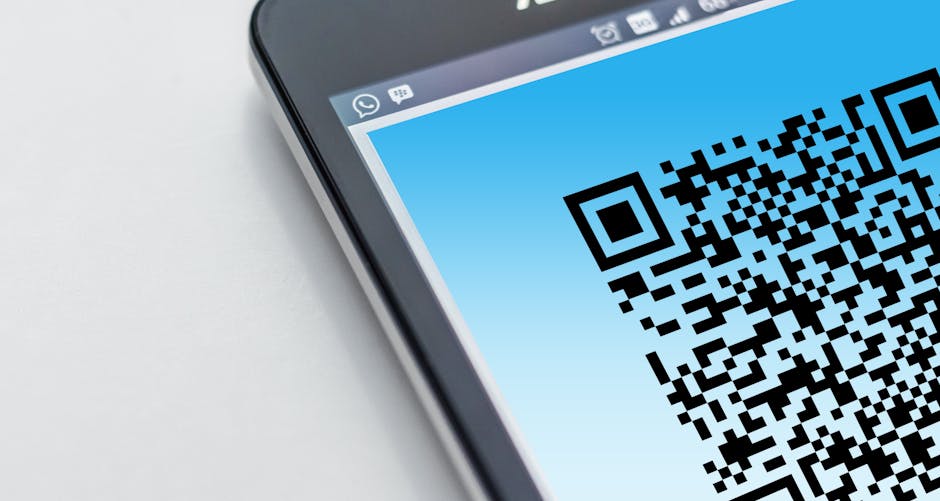
QR Phishing Grew Up. Has Your Awareness Training?
When QR code phishing first made headlines, the attack was straightforward: embed a malicious URL in a QR image, send it in an email, and wait for someone to scan it on their phone — a device that sits entirely outside the corporate security stack. Defenders responded by updating their email gateways to decode and inspect QR images, and many assumed the problem was largely contained.
It wasn't. According to new research from ReversingLabs, quishing has evolved into a category of attacks that is actively engineered to outpace those defenses. QR-based phishing incidents grew from under 1% of campaigns in 2021 to approximately 12% of all phishing campaigns by 2023 — and the rate continues to climb. A single campaign documented in March 2026 delivered 28 emails that passed every authentication check, and tracking data suggested it was part of a broader operation targeting more than 1.6 million recipients. Newly created quishing infrastructure evades detection on up to 80% of scanning engines at the time of deployment.
The techniques being used today are a long way from a QR image pasted into a spoofed email. This article breaks down what has changed, what that means for the humans you are trying to protect, and what an effective response actually looks like in 2026.
How a Modern Quishing Campaign Actually Runs
Before diving into specific evasion techniques, it helps to understand how a current campaign is structured from the attacker's perspective — because the architecture explains why piecemeal defenses keep failing.
A well-resourced quishing operation today involves several coordinated components. First, freshly registered infrastructure: domains, hosting, and SMTP servers set up within days of the campaign launch specifically to avoid reputation-based blocklists. Second, high-quality lure emails engineered to pass SPF, DKIM, and DMARC authentication checks — the kind of technical validation that gives recipients and security tools a false sense of legitimacy. Third, QR code delivery using whichever evasion technique best bypasses the target's known email security posture. Fourth, a landing page that looks identical to the real service, often hosted on a legitimate cloud platform to further confuse reputation engines. And fifth, in more sophisticated campaigns, a real-time relay layer that proxies the victim's session to the actual service while the attacker captures both credentials and MFA tokens simultaneously.
The March 2026 campaign documented by ReversingLabs hit all five of those components. The 28 sample emails that researchers analyzed passed authentication checks that would satisfy most enterprise email gateways. The infrastructure was too new to have any reputation signal. And the QR codes were delivered in a format that bypassed image-layer inspection entirely.
The Evasion Techniques That Emerged in 2025–2026
The core challenge for defenders is that QR codes can only be evaluated after decoding — and most security tools still analyze emails at the surface level, looking at text, known-bad hashes, and embedded URLs. Attackers have systematically exploited every gap in that approach.
Split QR Codes
Rather than embedding a single QR image that security tools might now scan and decode, attackers distribute the QR pattern across multiple images or multiple pages of a document. Each fragment looks like abstract noise or a decorative graphic. The QR code only becomes scannable when viewed as a whole — either by the victim's camera or a human eye — but never by an automated analysis pipeline that processes one attachment at a time. Campaigns using split codes have been documented since 2025 and the technique has since spread widely into commodity phishing toolkits.
Nested and Layered QR Codes
A related approach hides the QR pattern within visual layers — embedded inside a legitimate-looking document image, a corporate letterhead, or a product branding graphic. The QR code is technically present but visually camouflaged well enough to pass the inspection of automated scanners that look for obvious QR patterns in isolation rather than analyzing the full composite image.
Unicode Block-Character QR Codes
Perhaps the most technically inventive evolution is the use of Unicode block characters to construct QR-like patterns entirely in plain text. There is no image file attached, no graphic embedded. The email body itself contains a grid of Unicode characters that, when rendered in an email client at the right font size, forms a scannable QR code pointing to the attacker's infrastructure.
Because the "image" is actually encoded text, traditional image-scanning defenses have nothing to analyze. A tool looking for QR code graphics in an email will find nothing suspicious. The URL lives invisibly inside the character pattern, and the victim's phone camera has no trouble reading it. This technique is a direct response to organizations that upgraded their email security specifically to combat image-based quishing — and it largely renders that upgrade irrelevant.
Payloads Hidden in Unconventional File Formats
Attackers have also migrated QR codes into file formats that security tools inspect less aggressively. A campaign observed in February and March 2026 encoded malicious payloads within BMP image attachments — a format old enough to be broadly trusted and rarely subjected to deep content inspection. Other documented approaches include QR codes placed on the third or fourth page of a PDF, after a legitimate-looking first page, on the assumption that sandboxes and shallow scanners stop once the first page renders cleanly.
CAPTCHA-Gated Landing Pages
Even when a security tool does successfully decode a QR code and follow the URL, attackers have added a further layer: CAPTCHA challenges on the phishing landing page. Automated crawlers and headless browsers typically fail CAPTCHAs, meaning the malicious content is never rendered for analysis. The human victim, however, solves it without a second thought and arrives at a convincing credential harvesting page — which the security tool never saw.
When Nation-States Use QR Codes
These evasion techniques are not limited to opportunistic cybercriminals. In January 2026, the FBI issued an alert documenting North Korean Kimsuky threat actors targeting U.S. think tanks and government entities with QR-embedded spearphishing emails. The campaign combined QR codes with adversary-in-the-middle (AiTM) proxying to capture multi-factor authentication tokens in real time.
The mechanics of AiTM quishing are worth understanding in detail, because they explain why MFA alone is not a sufficient defense. When the victim scans the QR code and arrives at the phishing page, they are not interacting with a static credential harvesting form. They are interacting with a live proxy that sits between them and the real service. When the victim enters their username and password, the proxy relays those credentials to the actual platform in real time. When the real platform triggers an MFA challenge, the proxy displays it to the victim. The victim enters their one-time code, the proxy captures it, and the attacker uses it within the same authentication window — typically a matter of seconds. The victim sees a successful login flow and suspects nothing. The attacker now has a valid, authenticated session.
This means that an employee who did everything right — used a strong password, had MFA enabled, noticed nothing unusual about the email — can still have their account compromised if they scan the wrong QR code. Awareness training needs to account for this reality rather than telling employees that "using MFA keeps you safe."
The Kimsuky campaign is also significant because it illustrates how quickly techniques developed for targeted espionage migrate into commodity criminal use. When a technique is good enough for a nation-state operation, it will be packaged into phishing-as-a-service kits within months. That timeline is now well established across the threat landscape.
Why Your Email Gateway Still Probably Misses This
Many organizations updated their email security after the first wave of quishing attention in 2023. The question is whether those updates cover the 2025–2026 generation of techniques. Here is an honest checklist:
- Does your gateway decode QR codes in inline images? Most now do — but does it also handle QR codes on interior pages of multi-page PDFs?
- Does it handle QR codes in BMP, TIFF, or other non-standard image formats? Coverage varies significantly by vendor.
- Can it detect Unicode-constructed QR patterns in the email body text? This is a recent technique and most platforms have not yet published detection for it.
- Does it follow QR-encoded URLs through CAPTCHA-protected redirects? Most automated analysis pipelines cannot solve CAPTCHAs by design.
- Does it analyze multi-part QR codes split across image fragments? This requires reassembling multiple email components before decoding — a capability very few current gateways have.
- Does it flag freshly registered domains even with clean reputation scores? New infrastructure is the default for campaigns that understand how blocklists work.
The honest answer for most organizations is partial coverage at best. That gap is not an argument against investing in technical email defenses — they still catch a significant volume of quishing attempts. But it is a reason to be precise about what those defenses can and cannot do, and to invest proportionally in the human layer that catches what the technology misses.
What Your Employees Need to Know
Technical defenses filter a meaningful percentage of quishing attempts, but the remainder reach inboxes and require a trained human response. The rules employees need are specific and teachable — and they are more nuanced in 2026 than the first-generation guidance of "don't scan QR codes in emails."
The Safest Default: Navigate Directly, Not Via QR
If an email asks you to scan a QR code to log in, verify your identity, or access a document, the safer path is always to navigate to the service directly by typing the URL manually or using a saved bookmark. This single habit neutralizes the entire quishing chain regardless of how the QR code was constructed or delivered. It doesn't matter whether the code was a split image, a Unicode pattern, or a perfectly normal QR — if the employee never scans it, the attack ends there.
Check the Decoded URL Before You Open It
After scanning a QR code, most phone cameras and QR apps display the decoded URL before opening it. Train employees to pause at that step and read the domain. If the email claims to be from Microsoft but the decoded URL shows account-verify-ms365.net, that pause is the moment the attack stops. On mobile browsers, the URL bar often truncates — employees should tap the address bar to see the full domain before entering any credentials, even if the page looks exactly like the real thing.
Urgency Plus QR Code Equals Red Flag
Quishing emails use the same psychological levers as all phishing: urgency, authority, and fear of loss. "Your MFA is expiring — scan now to re-enrol" or "Review this invoice before the end of day" are manufactured pressure designed to override the instinct to pause. When an email combines a time-sensitive claim with a QR code, that combination is now a specific, trainable signal. Employees should be taught to treat urgency as a reason to verify independently, not a reason to act faster.
MFA Is Not a Complete Defense Against Quishing
Many employees carry a mental model where MFA means their account is protected even if their password is captured. The AiTM technique documented in the Kimsuky campaign and in multiple credential-theft platforms breaks that assumption entirely. Awareness training should be honest about this: MFA significantly raises the cost of account takeover, but it does not make scanning a malicious QR code safe. The only reliable defense is not scanning in the first place.
Physical QR Codes Deserve the Same Scrutiny
Documented campaigns have placed malicious QR codes on physical materials — printed flyers, stickers placed over legitimate codes on shared equipment, posters in public areas. Employees who would never click a suspicious email link will scan a QR code on what appears to be an office printer without a second thought. Awareness training should explicitly cover physical QR codes as the same category of risk as digital ones.
How empowsec Helps Close the Gap
The human layer is where quishing attacks succeed or fail when technical defenses fall short. empowsec is built to develop that layer systematically, rather than hoping an annual training video produces lasting behavioral change against threats that didn't exist when the video was recorded.
- QR code phishing simulations that use realistic pretexts — IT announcements, HR benefits enrollment, document signing, MFA re-enrolment — and measure both scan rates and credential submission rates separately. Knowing that an employee scanned the code is different from knowing they also entered their password, and both metrics matter for accurate risk assessment.
- Immediate contextual debriefs triggered the moment an employee scans a simulation code, explaining exactly which signal they missed, what a real attack would have done with their session, and what the correct response looks like.
- Up-to-date threat content that reflects current techniques, so employees are trained on Unicode QR patterns and CAPTCHA-gated pages as soon as those techniques appear in the wild — not 18 months later when the annual compliance video gets updated.
- Targeted simulation scheduling that prioritizes the employees most likely to face spearphishing variants: finance teams, executive assistants, IT administrators, and anyone with access to cloud platforms holding sensitive data or financial controls.
- Behavioral trend reporting that gives security leaders visibility into whether QR code simulation susceptibility is improving over time and identifies teams where targeted remediation is needed before a real campaign arrives.
For MSPs managing security awareness across multiple clients, empowsec's multi-tenant platform makes it straightforward to run coordinated quishing simulations across an entire portfolio and deliver measurable susceptibility reduction — a concrete outcome that supports both client conversations and genuine security improvement.
Key Takeaways
Quishing has moved well beyond the first-generation attack that put QR code awareness on defenders' radar. The 2025–2026 generation exploits the gaps that remained after initial defenses were deployed, and the operational scale of current campaigns means organizations cannot afford to wait for the next training cycle to respond:
- Split and nested QR codes defeat tools that scan individual image files in isolation — reassembly across fragments is required to decode them
- Unicode-constructed QR patterns contain no image at all, making image-scanning defenses irrelevant for an entire class of current attacks
- CAPTCHA-gated landing pages block automated URL analysis while allowing human victims through without friction
- BMP and late-page PDF delivery exploits inspection gaps in non-standard and multi-page formats
- Nation-state actors are using these techniques today — commoditization into criminal toolkits follows within months
- AiTM proxying defeats MFA — an authenticated session is stolen in real time, meaning MFA does not protect employees who scan malicious QR codes
- 80% of newly created quishing infrastructure evades detection at the time of deployment — fresh infrastructure is the default, not the exception
Technical defenses will continue to improve, but no tooling can cover every variant, every file format, and every evasion technique the moment it appears. The organizations that consistently reduce their exposure invest equally in technical controls and human training — developing employees who recognize the behavioral patterns of quishing regardless of the specific delivery mechanism. That is a training and simulation problem, and it is solvable with the right program in place before the next campaign arrives.